
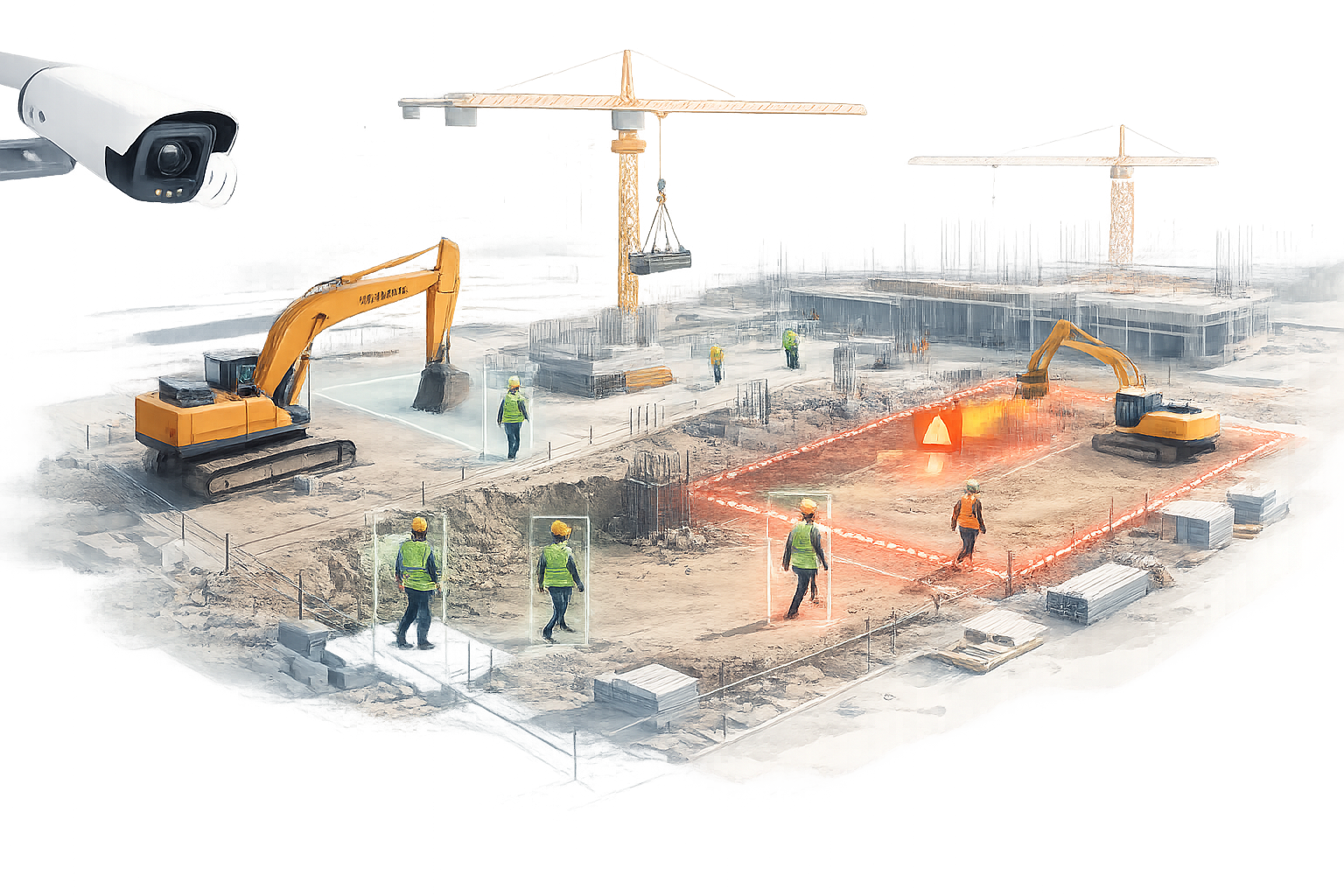
If you manage a job site, you already know the hardest part of construction safety isn’t writing rules - it’s enforcing them consistently across shifting crews, changing layouts, and multiple subcontractors. Traditional CCTV helps after something goes wrong. But on construction projects, “after” is expensive.
AI video analytics for construction site monitoring changes the model from reactive review to proactive monitoring. It watches live camera feeds continuously and flags risky situations early, so safety teams can intervene while there’s still time to prevent an incident.
Key takeaways
- Use existing CCTV to detect PPE violations, restricted-zone entry, and unsafe proximity near moving equipment.
- Reduce risk with real-time alerts, then improve discipline using weekly compliance reporting.
- Start with 2–4 high-frequency rules, tune thresholds, and expand coverage by zone.
Table of contents
What is AI video analytics for construction sites?
AI video analytics is software that analyzes camera footage frame-by-frame and detects predefined conditions. On construction sites, those conditions are typically safety-critical rules (PPE compliance, restricted-zone access, vehicle movement zones) and operational signals (gate activity, crowding, after-hours movement).
In simple terms
It’s a safety and compliance “event detector” for your CCTV: it watches continuously and notifies your team only when a defined rule is violated, with image/clip evidence for follow-up.
Instead of expecting supervisors to watch multiple screens all day, the system filters footage into events and evidence: alerts for immediate action, and reports for compliance and continuous improvement.
New to the topic? Start with our basics: What is video analytics?
Related guide: Warehouse CCTV analytics (forklift safety + intrusion + productivity)
Why construction site monitoring needs AI
- Dynamic environments: barricades, pathways, and work zones shift daily.
- High-risk interactions: people, vehicles, lifting, and height work happen simultaneously.
- Distributed responsibility: multiple contractors make consistent enforcement difficult.
- Limited supervision bandwidth: safety officers can’t be everywhere, all the time.
With AI monitoring, you get an always-on “extra set of eyes” that scales across entry points, equipment areas, storage zones, and perimeters.
High-impact use cases on a job site
The best construction AI deployments start with a small set of rules that are frequent, easy to verify on video, and strongly tied to incident reduction. Here are the most common building blocks.
1) PPE detection and compliance tracking
Detect missing PPE (for example: helmet, safety vest, or other site-mandated gear) at site entry and high-risk zones. Pair real-time alerts with daily compliance summaries to improve discipline without overwhelming the team.
2) Restricted-zone and hazard-zone monitoring
Define virtual boundaries around lifting areas, excavation edges, electrical rooms, or storage zones. When unauthorized personnel enter, the system flags the event immediately and stores the clip for investigation.
3) Vehicle–pedestrian proximity risk
Construction incidents often happen when people and moving equipment share space. Video analytics can watch movement zones and highlight close-proximity events so supervisors can re-route paths, adjust barricading, or enforce spotter policies.
4) Gate, entry, and perimeter exceptions
Monitor gates for tailgating, after-hours access, and unusual perimeter activity. This improves both safety and asset protection, especially on large or remote project sites.
5) Site housekeeping and blocked pathways
Poor housekeeping increases risk. Cameras can help surface recurring problem zones (like blocked walkways or unsafe material stacking patterns) so teams can address root causes through layout changes and toolbox talks.
A practical deployment blueprint (without the complexity)
- Start with a camera audit: confirm angles for gates, work zones, and equipment corridors.
- Define zones: set virtual boundaries for restricted areas and vehicle movement paths.
- Pick 2–4 rules: choose the rules your site can enforce immediately (PPE + restricted zones are common starters).
- Set alert routing: decide who receives what (security, safety, supervisor) and what “urgent” means.
- Use reporting to drive discipline: weekly summaries help measure improvement and reduce repeat violations.
The goal is not “monitor everything.” The goal is reduce the specific risks that cause injuries, delays, and rework.
How to prevent alert fatigue
- Use severity tiers: alerts for high-risk events, summaries for lower-risk ones.
- Escalate on repeats: notify immediately only when violations repeat within a set window.
- Zone-based rules: enforce PPE only at gates and critical zones, not everywhere.
- Time-based logic: after-hours detection should be stricter than daytime flow.
KPIs that make ROI measurable
Track results with a few clear metrics that leadership understands:
- PPE compliance rate: violations per day/week by zone.
- Repeat violations: number of repeat offenders or repeat zones.
- Response time: time from detection to acknowledgement.
- Near-miss trends: frequency of unsafe proximity events over time.
- After-hours exceptions: incidents outside approved time windows.
Privacy and responsible monitoring
Job sites must balance safety monitoring with privacy expectations. A responsible approach includes role-based access, configurable retention policies, and using the minimum footage needed for safety investigations and compliance reporting.
How CoCompanionAI supports construction monitoring
CoCompanionAI helps teams use existing cameras to build real-time safety workflows: define zones, set rules, route alerts, and generate compliance insights. The focus is practical deployment - fast wins, clear reporting, and reduced incident risk across every site.
For a deeper overview of capabilities and outcomes, see: AI video analytics for safety & compliance
Frequently Asked Questions (FAQ)
What is AI video analytics for construction site monitoring? ▾
Do I need to install new cameras on my construction site? ▾
How long does it take to deploy AI monitoring on a job site? ▾
What are the best use cases to start with on a job site? ▾
How do teams avoid alert fatigue? ▾
What should I track to measure construction safety improvement? ▾
Conclusion
AI video analytics makes construction site monitoring proactive. With the right rules and zones, teams can move from “review later” to “act now,” improving safety, compliance, and project continuity.
Book a walkthrough
See job-site monitoring on your cameras
Schedule a 30-minute session to review your site layout, discuss alert rules, and see how CoCompanionAI can fit your workflow.