
Key takeaways
- You can launch attendance automation on existing CCTV cameras without replacing your full hardware stack.
- The best results come from role-based zone rules, clean enrollment, and payroll-ready attendance workflows.
- Every industry can tailor the same AI foundation with different shift logic, compliance controls, and audit needs.
Table of contents
Many organizations already have cameras at entry gates, lobby desks, production floors, and dispatch points. Yet attendance often depends on manual registers, biometric terminals at a single point, or delayed reconciliation in HR tools.
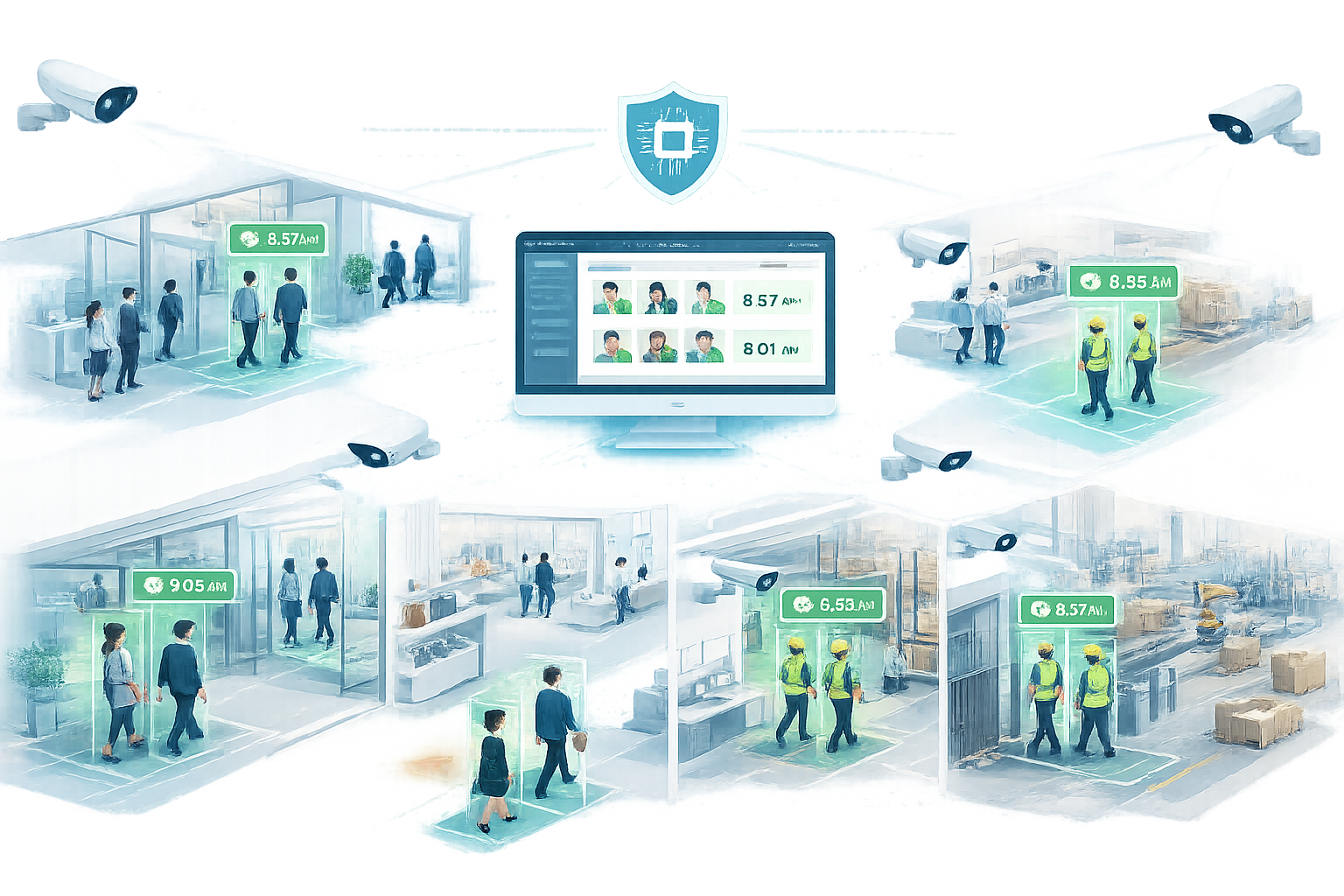
An AI based CCTV camera attendance system bridges this gap by turning live video into structured attendance events. Instead of adding new friction for employees, businesses can use familiar access points and convert those feeds into verified in/out logs.
What is an AI based CCTV camera attendance system?
It is a computer-vision attendance platform that identifies enrolled employees from CCTV streams and writes validated attendance records to an attendance management system or HRMS. Typical workflows include face-based check-in, shift mapping, late/early flags, geo-location mapping by camera, and payroll-ready exports.
Core components
- Employee enrollment and identity mapping
- Camera zone definitions for attendance events
- Confidence thresholds and anti-spoof checks
- Policy engine for shifts, grace periods, and overtime
- Payroll integration for approved attendance records
Why existing CCTV is the fastest route to ROI
- Lower capex: reuse current camera infrastructure before adding specialized devices.
- Faster rollout: pilot at high-volume entries first, then scale branch by branch.
- Better adoption: employees do not need new attendance habits at every location.
- Higher auditability: each attendance event can include timestamped visual evidence.
Attendance solutions for every industry
1) Corporate offices and shared workspaces
Use lobby and floor-entry cameras to automate first-in and last-out events. Pair with visitor/access systems to separate employee attendance from guest traffic.
2) Manufacturing and industrial plants
Mark attendance at shift gates and critical zones, then link with shift rosters. This reduces queue congestion at terminal-based punching and supports multi-gate operations.
3) Healthcare and hospitals
Configure attendance by department entries and secure clinical areas. This helps maintain traceable staffing records while reducing contact at crowded biometric points.
4) Education and training campuses
Capture faculty and staff attendance at campus access points and department blocks. Institutions can automate schedule-wise presence reporting for administration and compliance workflows.
5) Retail chains and supermarkets
Combine back-office entry attendance with floor-shift mapping. Managers can compare staffing presence with footfall peaks to improve shift planning.
6) Warehousing and logistics hubs
Track attendance by dock entry, dispatch area, and shift handover zones. This supports high-volume, multi-shift teams where punctuality and staffing consistency are critical.
Industry mapping tip
Start with one common rule set across all sites, then add industry-specific policy layers for shift length, restricted roles, and compliance evidence requirements.
AI CCTV attendance vs biometric attendance machines
Many buyers compare a camera attendance system with fingerprint or face-terminal devices. The right choice depends on site design, shift scale, and operational goals.
- Queue management: camera-based attendance can reduce entry bottlenecks in high-volume shifts.
- Touchless operations: CCTV attendance supports lower-contact check-ins in healthcare and industrial environments.
- Infrastructure reuse: existing surveillance cameras can lower rollout friction across multi-site operations.
- Fallback strategy: some organizations keep biometric terminals as backup for low-confidence or exception cases.
Step-by-step deployment blueprint
- Camera audit: verify entry visibility, lighting, and lens angles for face capture quality.
- Enrollment policy: define who is enrolled, who approves identities, and how updates are managed.
- Attendance rules: configure in/out logic, shift windows, grace period, and overtime rules.
- Pilot launch: deploy in 1-2 sites for 2-4 weeks and measure mismatch rate and manual overrides.
- Payroll sync: connect attendance output to HRMS or payroll with approval checkpoints.
- Scale rollout: expand by cluster with a standardized SOP for IT, HR, and operations teams.
Possible integrations (webhooks, APIs, and enterprise tools)
Attendance platforms create the most value when they fit into your existing systems. Instead of running a separate attendance silo, connect event outputs to HR, payroll, access, and reporting workflows your teams already use.
- Webhook events: push real-time check-in/check-out events, late arrivals, unknown-face alerts, and manual override actions.
- REST API integration: read/write employee identities, shift policies, attendance logs, and approval states.
- HRMS connectors: sync employee master data, department mapping, and status changes (join/exit/transfer).
- Payroll systems: send approved attendance summaries for overtime, shift allowance, and salary processing.
- Access control systems: align camera-based attendance with gate-controller logs for better verification.
Recommended webhook payload fields
- Identity: employee ID, site ID, camera ID, confidence score
- Event context: event type, timestamp, zone, shift ID
- Audit tags: source model version, override status, reviewer ID
- Security: request signature, nonce, and retry counter for reliability
AI CCTV attendance system pricing: what affects cost?
There is no single fixed price for an AI based CCTV camera attendance system. Most deployments are scoped by complexity and integration depth.
- Camera footprint: number of attendance zones and camera streams per location.
- Branch scale: single-site rollout versus centralized multi-site deployment.
- Integration depth: HRMS, payroll, webhook automations, and access-control synchronization.
- Data retention: required storage duration for attendance evidence and audit records.
- Support model: managed onboarding, periodic tuning, and SLA expectations.
KPI scorecard for leadership and HR
- Recognition success rate: valid attendance events vs total attempts.
- Manual correction rate: percentage of records adjusted by HR.
- Payroll dispute reduction: month-over-month drop in attendance-related claims.
- Processing cycle time: attendance close to payroll release window.
- Site rollout velocity: number of branches activated per month.
Privacy and compliance checklist before go-live
- Publish clear employee notice and purpose limitation for attendance processing.
- Use role-based access controls for raw footage and attendance reports.
- Encrypt biometric templates and event data in transit and at rest.
- Set retention schedules and automated archival/deletion policies.
- Keep complete audit trails for enrollment changes and manual overrides.
How CoCompanionAI helps
CoCompanionAI helps teams launch attendance intelligence on existing CCTV with practical rollout support: camera mapping, rule tuning, alert workflows, and attendance-to-payroll integration.
Build your foundations first: What is video analytics?
Explore related use cases: Warehouse CCTV analytics guide
Deployment strategy: AI deployment model and pricing plans
Frequently Asked Questions (FAQ)
Can we use existing CCTV cameras for attendance? ▾
Which industries benefit most from AI CCTV attendance systems? ▾
How does payroll integration work with CCTV attendance? ▾
How do we reduce false matches in face attendance? ▾
What privacy controls should be enabled before deployment? ▾
What integrations should an AI CCTV attendance system support? ▾
What affects AI CCTV attendance system pricing? ▾
Can AI CCTV attendance replace biometric attendance machines? ▾
How accurate is AI based CCTV attendance in real environments? ▾
Conclusion
A well-designed AI CCTV attendance solution can unify attendance across industries without forcing a full hardware refresh. Reuse existing cameras, start with measurable rules, and scale with policy and payroll controls from day one.
Book a walkthrough
Turn existing CCTV into a smart attendance layer
Schedule a session to map your camera coverage, define attendance rules, and launch a pilot with payroll-ready reporting.